
ODOO ERP DUBAI
Odoo Data Migration Dubai
Planning to move your business data into Odoo ERP? Whether you are replacing spreadsheets, moving from another business management platform or transferring an existing Odoo database, data migration requires careful planning. Incorrect records, missing attachments, inconsistent product information or unbalanced financial data can create problems for your team after go-live.
Datalabx System provides Odoo data migration services in Dubai for businesses that need a structured approach to transferring, organising and validating their business information. The migration process can be tailored to your current system, data volume, required Odoo modules and operational priorities.
Our focus is to help you plan a practical migration that considers data accuracy, business workflows, system compatibility and continuity. Contact Datalabx System to discuss your current software, migration goals and project requirements.
Professional Odoo Data Migration Services in Dubai
Odoo data migration involves transferring business information from an existing platform, database or Odoo environment into a target system. Depending on the project, this may include master data, historical records, open transactions, documents, custom fields and relationships between records.
A successful migration requires more than importing a spreadsheet. Data must be mapped to the correct Odoo fields, reviewed for inconsistencies and tested against the processes your business uses every day.
Datalabx System can scope migration requirements such as:
Data assessment: Review the source system, available exports, data structure and migration priorities.
Data cleansing: Identify duplicate records, inconsistent formats, missing values and outdated information.
Field mapping: Match source fields with the appropriate Odoo models and fields.
Business data transfer: Plan the transfer of relevant customer, supplier, product, inventory, sales and accounting records.
Historical data migration: Assess which historical transactions and documents can be transferred accurately.
Custom field mapping: Account for business-specific fields and data structures where required.
Validation and reconciliation: Compare migrated records with the source data and investigate discrepancies.
Post-migration support: Help address migration-related issues and verify important workflows after deployment.
The exact scope depends on the source platform, Odoo version, data quality and agreed requirements.
Move Business Data from Existing Software to Odoo
Businesses in Dubai may use different systems for accounting, inventory, sales, purchasing and customer management. When information is spread across several tools, migration planning can help establish a more consistent data structure in Odoo.
Excel to Odoo Data Migration
Spreadsheets are commonly used for customer lists, product catalogues, price lists and stock records. Before importing Excel data into Odoo, it is important to standardise column names, check required fields, remove duplicate entries and confirm that records follow the expected format.
A structured Excel-to-Odoo migration can help businesses organise information for CRM, sales, purchasing, inventory or accounting workflows.
Tally and QuickBooks to Odoo
Businesses moving from Tally or QuickBooks may need to transfer customer and supplier information, chart-of-accounts details, opening balances and selected transaction history.
Financial migration should include reconciliation with the source system and review by the responsible finance team. The available migration scope depends on the source data, accounting structure and reporting requirements.
SAP and Other ERP to Odoo
Moving from a larger ERP platform requires an assessment of master data, transaction history, business rules, custom reports and integrations. Not every source-system feature has a direct equivalent in Odoo, so the migration plan should identify which information will be transferred, transformed, archived or recreated.
Existing Odoo Database Migration
If your business already uses Odoo, you may need to move a database to a different hosting environment, consolidate data or prepare records for a new implementation. If the objective is to move to a newer Odoo version, this may also require a dedicated version-upgrade process.
Explore our Odoo upgrade services in Dubai to understand the difference between a version upgrade and a broader data migration project.
Our Odoo Data Migration Process
A documented process makes it easier to identify responsibilities, test important records and prepare for the transition.
01
Understand your existing system
We begin by establishing which platform stores your data, what information needs to be moved and which business functions depend on it. This assessment may cover database access, file formats, record volumes, custom fields, integrations and reporting needs.
02
Create a migration plan
The plan defines the migration scope, target Odoo environment, data mapping requirements, validation criteria, responsibilities and proposed timeline. It should also identify dependencies that could affect the project.
03
Clean and map the data
Source records are reviewed for duplicate entries, inconsistent formats, missing values and conflicting identifiers. Each required field is mapped to its destination, with special attention to relationships between customers, products, orders, invoices and other business records.
04
Perform a trial migration
Where the project scope permits, a test migration helps identify mapping errors, missing relationships and unexpected data issues before the final transfer. The test environment also gives stakeholders an opportunity to review representative records.
05
Validate migrated records
The validation process should reflect the type of data being migrated. For example, finance teams may compare opening balances and transaction totals, while operations teams may verify stock quantities, product details and open orders.
06
Prepare for go-live
After the agreed checks are complete, the migration team can coordinate the final transfer, communicate the deployment window and confirm the recovery plan. The schedule depends on the data volume, source system, complexity and business requirements.
07
Review the system after migration
Following go-live, important workflows should be checked in the target Odoo environment. These may include creating sales orders, processing invoices, updating inventory and accessing reports. Any identified discrepancies should be documented and addressed according to the agreed support scope.
Which Odoo Modules May Need Data Migration?
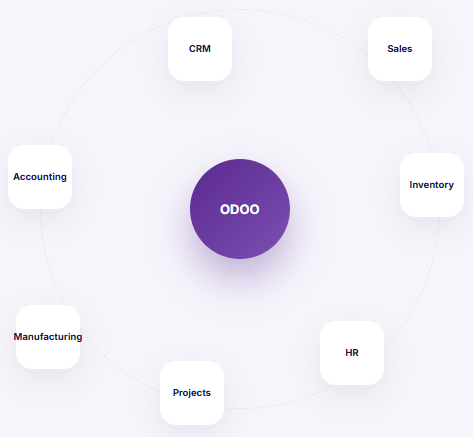
The modules involved depend on how your business uses Odoo. Common examples include:
Odoo CRM for leads, contacts and customer records.
Odoo Sales for quotations, sales orders and customer-related transactions.
Odoo Accounting for accounting records, opening balances and relevant financial history.
Odoo Inventory for product information, stock quantities and warehouse-related data.
Odoo Purchase for suppliers, purchase orders and procurement records.
Odoo Manufacturing for product structures and relevant production data.
Odoo E-commerce for product catalogues, customer information and applicable online order records.
Not every module requires migration in every project. Selecting the necessary records and confirming their relationships helps keep the project focused.
How Much Does Odoo Data Migration Cost in Dubai?
The cost of Odoo data migration depends on the amount of data, the complexity of the source system and the work needed to prepare, transfer and validate records.
Factors that may influence the quotation include:
Source platform and database structure.
Number of records, attachments and historical transactions.
Data cleansing and transformation requirements.
Custom fields, business-specific logic and module dependencies.
Required integrations and external systems.
Testing, reconciliation, deployment and support requirements.
A straightforward import of clean spreadsheet data may require less effort than a multi-system migration involving historical accounting records and custom workflows.
For a useful quotation, provide details of your current system, the Odoo modules involved, the approximate data volume and the records you need to preserve. Datalabx System can then define the appropriate scope and assessment requirements.
Odoo Data Migration Services Across Dubai and the UAE
Datalabx System can use this section to communicate its actual service coverage. Depending on its confirmed delivery arrangements, relevant Dubai business locations may include:
Odoo data migration can often be managed remotely, making the client’s existing system and project requirements more important than a physical office in every district. Confirm actual coverage before publishing any location-specific service promises.
Central business districts: Business Bay, Downtown Dubai, DIFC and Sheikh Zayed Road.
Technology and commercial hubs: Dubai Internet City, Dubai Media City, Dubai Silicon Oasis and Dubai Knowledge Park.
Trading and logistics locations: Jebel Ali, JAFZA, Dubai South and Dubai Airport Freezone.
Retail and business communities: Deira, Bur Dubai, Al Barsha, Jumeirah and Dubai Marina.
Wider UAE locations: Abu Dhabi, Sharjah and Ajman, where service availability is confirmed.
Discuss Your Odoo Data Migration Project with Datalabx System
Moving business information requires a clear understanding of your existing software, data quality and future operational needs. A structured migration plan helps your team identify risks, define validation requirements and prepare for the transition to Odoo ERP.
Contact Datalabx System to discuss Odoo data migration in Dubai. Share your current platform, the Odoo modules you need and the data you want to transfer to start planning the next steps.
Visit Datalabx System to learn more about our Odoo ERP services and discuss your business requirements.
Frequently Asked Questions About Odoo Data Migration
Odoo data migration is the process of transferring business records from another system or database into Odoo, or moving selected information between Odoo environments. It can include data assessment, cleansing, field mapping, import and validation.
Potentially, yes. The available scope depends on the source system, data format, accounting structure and migration requirements. Historical records and financial balances should be checked and reconciled before the new system is approved for use.
The timeline depends on data volume, source-system complexity, data quality, custom fields, integrations and testing requirements. A migration assessment is needed to provide a realistic estimate.
It can, particularly during the final transfer or when records must be temporarily restricted from editing. A planned migration window, trial runs and clear communication can help reduce disruption, but the actual impact depends on the project.
Odoo implementation includes setting up and configuring the ERP system around business requirements. Data migration is the part of the project concerned with transferring and validating information. A new Odoo implementation may include data migration, but migration can also be a separate project.
